Allminder - Alarm and Reminder: Your All-in-One Time Management App
Screenshots
Introduction
Allminder - Alarm and Reminder is a versatile application designed for users who require a robust tool for managing alarms and reminders. Developed by caiocrol, this app is particularly useful for those looking to keep track of medication schedules, appointments, or any important tasks that require timely notifications. With its ability to set simple to complex alarms, Allminder offers a comprehensive solution for various time management needs. The app supports features such as smart actions, multiple alarm settings, and even audio reminders, making it a valuable addition to your smartphone.
Graphics & Gameplay
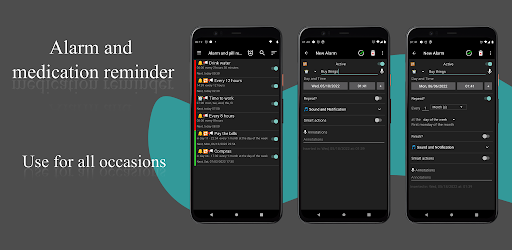
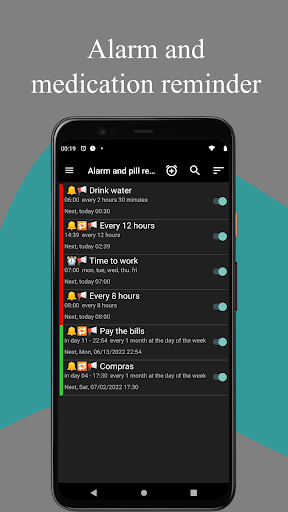
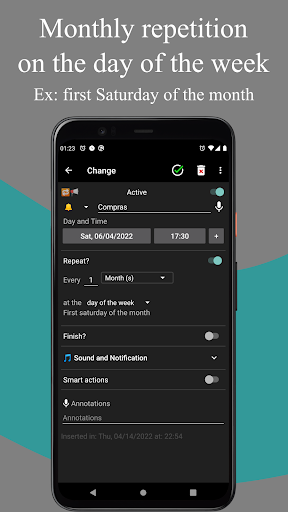
The visual design of Allminder is clean and user-friendly, making navigation intuitive for users of all ages. The interface employs a straightforward color scheme, with various hues indicating different alarm statuses. For instance, red alerts signify alarms due that same day, yellow indicates alarms due the next day, and green marks alarms for the day after. The screenshots showcase a minimalist layout that emphasizes functionality over clutter, allowing users to focus on their tasks without distractions. Iconography is clear, which facilitates quick comprehension of the features available. Overall, the graphics provide a seamless user experience, encouraging efficiency and ease of use.
Key Features
- Alarm System: Set alarms for any occasion, whether it’s a one-time event or a recurring reminder.
- Pill Reminder: A specialized feature designed to help users manage their medication schedules effectively.
- General Reminders: Create reminders for tasks or events with customizable settings.
- Smart Actions: Automate phone functions like volume control or Bluetooth settings when an alarm goes off.
- Voice Notifications: Users can record or select audio to announce the reminder, making it more personalized.
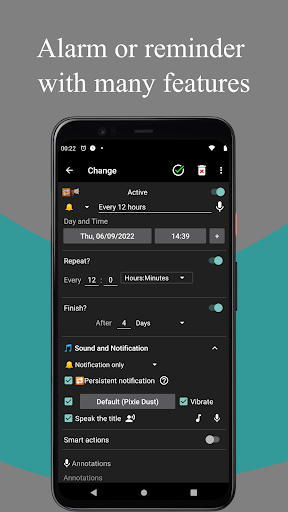
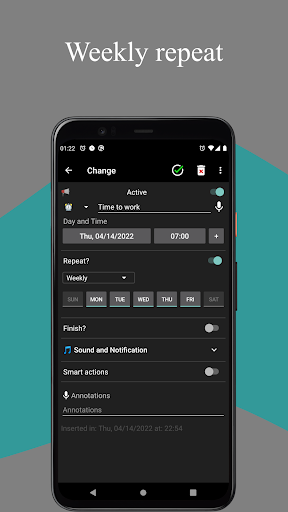
- Customizable Repetition Settings: Set alarms to repeat hourly, daily, weekly, monthly, or yearly, including advanced options like 'first Monday of the month'.
- Sleep Mode: A feature that silences alarms during designated sleep hours while still showing notifications.
- Persistent Notifications: Alarms will still show notifications even after device reboots, ensuring you never miss an important reminder.
- Multiple Executions: Set multiple instances for the same reminder, catering to complex schedules effectively.
- Ad Removal: Users have the option to remove advertisements for a nominal fee, enhancing the app experience.
Mod Features
- Premium Unlocked: Gain access to all premium features without any additional cost, including advanced customization options.
- No Ads: A completely ad-free experience, allowing users to focus solely on their alarms and reminders without interruptions.
- Unlimited Custom Alarms: Create as many alarms as needed without limitations, perfect for users with busy schedules.
- Enhanced Audio Options: Access a broader library of sounds and recording options for a more personalized alarm experience.
- Color-Coded Labels: Utilize additional color codes for reminders based on priority levels, helping users prioritize tasks visually.
How to Install APK on Android
Installing the Allminder APK file on your Android device is a straightforward process. Follow these steps to get started:
- Visit the official download link: Download Allminder APK.
- Before downloading, ensure that your device allows installations from unknown sources. You can enable this setting by going to Settings > Security > Unknown Sources and toggling it on.
- Download the APK file and wait for the download to complete.
- Navigate to your device's file manager and locate the downloaded APK file.
- Tap on the APK file to begin the installation process. Follow the prompts on your screen to complete the installation.
- Once installed, you can find the Allminder app in your app drawer. Open it, and you are ready to start setting your alarms and reminders!
Conclusion
Allminder - Alarm and Reminder is a powerful and user-friendly app that caters to a range of time management needs. With its extensive features, including smart actions, customizable alarms, and a pill reminder specifically designed for medication management, it stands out among similar applications in the market. Whether you are looking to improve your productivity, manage your health, or simply ensure you never miss an important task, Allminder is a fantastic solution. Don’t miss out on enhancing your time management capabilities!
Ready to take control of your time? Download Allminder now!