
Qlango: Learn 70+ Languages - Review and Download Guide
Screenshots


Introduction
Qlango is a comprehensive language learning app developed by Qlango d.o.o., enabling users to learn over 70 languages. Unlike many language learning platforms that primarily offer English as the base language, Qlango innovatively allows learners to study directly from their first language, breaking down barriers for those who may not be proficient in English. The app is designed to cater to different learning styles and levels, ranging from absolute beginners (A1) to more advanced learners (B2). Whether you're interested in widely spoken languages like Spanish and Mandarin or rare ones such as Tatar and Uzbek, Qlango provides a tailored learning experience that is both efficient and engaging.
Graphics & Gameplay
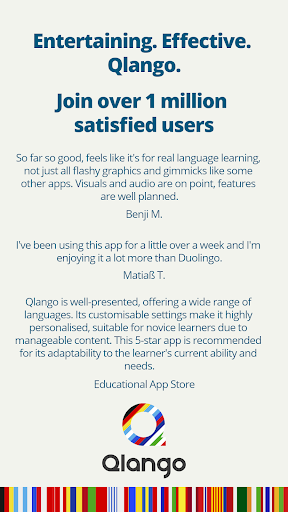
The visual design of Qlango is user-friendly and intuitive, featuring a clean interface that enhances the learning experience. The screenshots showcase a vibrant color palette, making the app visually appealing. Users are greeted with an organized layout that simplifies navigation through various lessons and features.
In the app, engaging graphics illustrate the exercises, which include interactive games and story-based content. For instance, the Wordle-like challenges and interactive games are visually represented in a way that captivates users, encouraging them to participate actively in their learning journey. The integration of audio and subtitles for languages that do not use the Latin alphabet enhances accessibility and understanding, allowing learners to grasp pronunciation and context better.
Key Features
- AI Tutor: Qlango features an AI-powered tutor that provides instant answers, explanations, and grammar help in any language, creating a responsive learning environment.
- Language Combinations: The app supports learning from over 70 languages, including many lesser-known ones, making it unique in its offerings.
- Structured Learning Levels: Learners can choose their starting point within the A1 to B2 framework, allowing for a customized approach to language mastery.
- Short, Practical Exercises: Designed for busy individuals, the app features quick lessons that can be completed anytime, whether at home or on the go.
- Story-Based Content: Users can enjoy original multilingual stories that enhance reading and listening skills.
- No Punishment for Mistakes: Qlango encourages learners to repeat exercises until they feel confident, fostering a positive learning atmosphere.
- Adaptive Learning: The app adjusts the difficulty of exercises based on the learner's progress, ensuring a challenging yet attainable experience.
- Pronunciation Practice: Users have the opportunity to practice pronunciation, improving their spoken language skills.
- Certificates: Upon completion of levels, learners receive certificates that validate their achievements.
Mod Features
If you're looking to enhance your experience with Qlango, consider exploring potential mod features that could elevate your learning journey:
- Premium Unlocked: Access all premium features without any subscription fees, allowing you to enjoy the full spectrum of learning tools.
- No Ads: An ad-free experience ensures uninterrupted learning, allowing you to focus completely on mastering your chosen language.
- Unlimited Money: Gain unlimited in-app currency to unlock additional content, personalized lessons, and special features without restrictions.
- Exclusive Content: Access to additional languages, stories, and exercises not available in the standard version, broadening your learning options.
- Enhanced AI Tutor: Experience a more advanced AI tutor that offers deeper insights and personalized feedback, making your learning more effective.
How to Install APK on Android
Installing the Qlango APK on your Android device is a straightforward process. Follow these steps to get started:
- Download the APK: Click on the provided link to download the Qlango APK file to your device.
- Enable Unknown Sources: Go to your device's Settings > Security, and enable the option to install apps from unknown sources.
- Locate the APK File: Use a file manager to navigate to the folder where the APK was downloaded.
- Install the APK: Tap on the APK file and follow the on-screen instructions to install the app.
- Launch Qlango: Once installed, you can find the app in your app drawer. Open it, and start your language learning journey!
Call to Action
If you're eager to embark on a multilingual journey and explore the world of languages, download Qlango: Learn 70+ Languages today! Experience a unique and effective language learning method that empowers you to learn through your own language. Don't miss the opportunity to expand your linguistic horizons!